



took the web design community by storm when its Kickstarter project raised $275,000 (over three times the original target). With its recent 1.0 release, Macaw is now ready for action as a stable, impressive, and incredibly easy way to build websites. So what makes Macaw so great? Read through our discussion with its founder and CEO Tom Giannattasio to find out the answer.
Exclusive Offer: $50 Off Macaw!
Tom not only took the time to answer all our questions, he also hooked us up with an exclusive offer code that will get you $50 off of your purchase of Macaw! How cool is that? Just use the code CREATIVEMARKET on checkout.
Interview With Tom Giannattasio
First off, why did you create Macaw? Were existing web design tools not good enough?
Tom:
I was tired of working in the awkward space between Photoshop and SublimeText. I wanted a tool that let me work visually and handled the monotonous task of writing HTML and CSS for me. In short: I wanted a true web design tool.
That’s a tall order. How did you go about building a team to tackle the project?
Tom:
I didn’t really set out to build a team first. I started by experimenting. Once I had a proof of concept built, I started sharing it with friends. We all saw the need for a tool like this and we decided to go after it together. My cofounder, Adam Christ, and I worked on it for about a year before deciding to run a Kickstarter campaign. Our backers became a big part of the team.
Who is your intended audience?
Tom:
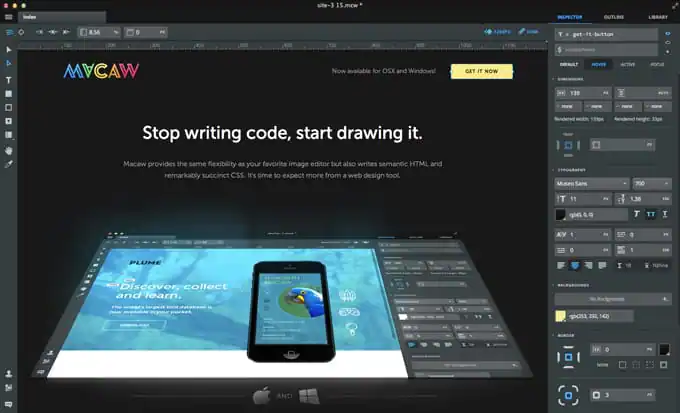
Designers. More specifically web designers who want to work directly with their medium but don’t want to be bogged down with the chore of hand-coding. That turns out to be a rather wide spectrum, from students new to the web to pros in agencies and on product teams.
It sounds promising, but how is Macaw different than all the other WYSIWYG web design apps out there?
Tom:
There are two things that separate Macaw from the crowd: ease of use and code quality. Most WYSIWYG editors have a terribly clunky workflow. We set out to make a fluid environment that allows you to freely move elements as if you were using Photoshop. Abstractions were used to map intended behavior to the interface without the need to understand all of the CSS properties behind that behavior. The result is a faster and more intuitive workflow.
We also thought it was time that a design tool learned to code. Why can’t we build algorithms that think more like humans? Instead of ignoring the craft, we embraced it. Our coding engine, Alchemy, uses the same logic and best practices that a seasoned developer uses to auto-generate code at an unmatched level of quality.
How does Macaw simplify responsive web design?
Tom:

Macaw’s canvas works just like a browser window. It can be resized and elements will flow as they would in the browser. Percentage-based widths are the default, so fluid design happens naturally. Breakpoints can be added anywhere, and the layout can be modified for each. Macaw will handle the gritty details of writing the media queries, clean up unnecessary properties and publish everything needed to make your design work on any device.

What problems did you encounter when trying to make Macaw truly useful and how did you tackle them?
Tom:
One of the largest challenges was converting a design to semantic HTML and succinct CSS that a developer wouldn’t cringe at. We had to develop some pretty complex algorithms to make the tool think like a developer. There are decades of best practices that we took into consideration. This was by far the most difficult piece of the puzzle, mainly because there was nothing to work off of. We had to invent everything.
How has Macaw’s official release improved over the beta that many of us tried?
Tom:
A lot has improved since beta and that’s all thanks to our awesome early adopters. We completely rewrote the layout engine to allow a cleaner workflow and added a ton of highly requested features. We have a lot of additional features coming in the next few weeks as well. So, keep an eye out for those!
What’s the coolest site you’ve seen that was built with Macaw?
Tom:
There’s a responsive redesign for a popular skate/surf brand being done in Macaw. It’s a brand we grew up with and it’s awesome to see it inside Macaw!
Final Question: What’s next for Macaw?
Tom:
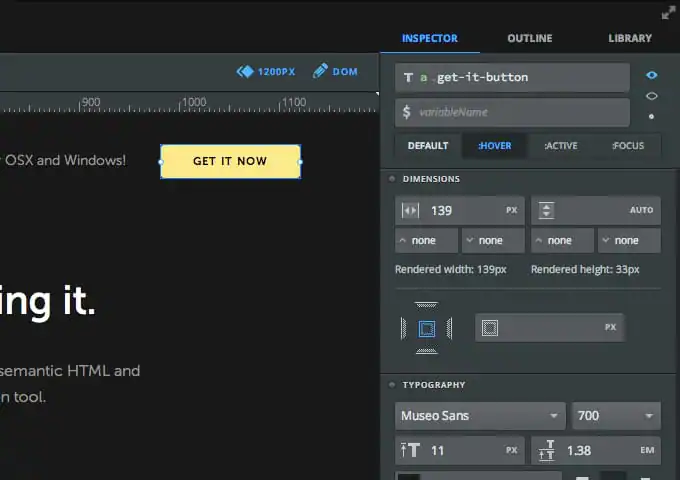
We’ll soon be introducing two of the most requested features. Display toggling will allow you to manipulate the visibility of elements on each breakpoint and states let you modify an element’s properties for focus, active or hover events. We’ve also made drastic improvements to the speed and precision of our layout engine.
Thanks Tom!
We’d like to extend a huge thank you to Tom for taking the time to answer our questions. It’s really great to get a glimpse of the thought and effort that goes into such an awesome web design tool. Don’t forget to check out Macaw for yourself and be sure to use our exclusive CREATIVEMARKET discount code for $50 off.
Download these worksheets and start practicing with simple instructions and tracing exercises.
Download now!







Making beautiful design simple & accessible to all.
View More Posts



9 Comments