Categories / Shop Center

6 Time-Saving Apps for Online Shop Owners

RetroSupply Last updated: April 3, 2024 · 5 min read

Work smarter, not harder. We’ve all heard this before, but how? If you’re looking for ways to save time and increase your productivity the right apps can help. I use each of these apps every day and they’ve saved me hundreds of hours.

1. TextExpander

TextExpander

TextExpander has easily saved me dozens, if not hundreds of hours writing emails. This app lets you assign short word snippets to expand into anything you want. I could easily write an entire article on different ways you can use TextExpander. Here’s some time saving ways you can use it:

  • Respond to common customer questions with snippets.
  • Write your most common emails in seconds instead of minutes.
  • Create custom signatures (for example, one for your design clients and one for Creative Market customers).

2. CloudApp
CloudApp

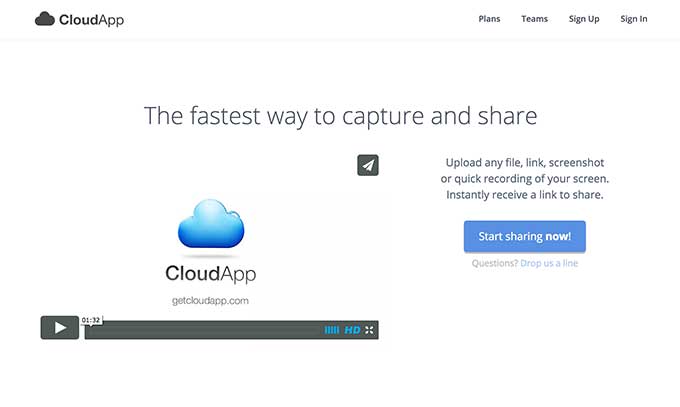
Do you send a lot of small to medium sized files? CloudApp makes it easy to send files quickly. Just drag them from your desktop to the icon on top of your menu bar. CloudApp instantly uploads the file and pastes a link in your clipboard. I use CloudApp as a hassle-free way to send customers free gifts and updates. Instead of having to upload something to the cloud and send a link I can just drag into into my menu bar and paste it in my Creative Market message.

3. Evernote

Evernote

Evernote is one of those apps that’s hard to explain. The best way I can describe it is as a simple and powerful work environment. You can use it to write, collect any type of media and create presentations. Plus, it works on all your devices including laptops, tablets and smartphones. Here are some of my favorite uses: Create Idea Files. I love to collect ideas for new products. I can save collections of images I’ve taken on my iPhone or found on the web in well organized folders. Then refer back to them with ease when I’m looking for inspiration. Develop Products. Recently, I started organizing entire products in Evernote. I’ll create a folder that includes product descriptions, preview images, mood boards, tutorial videos and more. Organize Business Paperwork. I recently finished my taxes for the year and Evernote made it crazy easy. I scanned receipts and tax documents with my iPhone and sent them to Evernote in less then 10 minutes. Then I shared the file with my accountant. Done!

4. Rescue Time

RescueTime

Do you ever spend all day working on a project and then wonder where all your time went? RescueTime is a powerful app tracks your time and improves your productivity. It tracks every place you work on your computer and logs it based on how productive you’ve ranked the activity. Here are some of the useful features for Creative Market shop owners:

  1. Analyze your work day and find your most and least productive activities.
  2. Launch focus sessions where RescueTime will block you from time sucking sites like Facebook and Reddit.
  3. Create goals for how much time you spend working on different parts of your business. Then have RescueTime monitor them to make sure you hit them all.

5. ColorSnapper
ColorSnapper

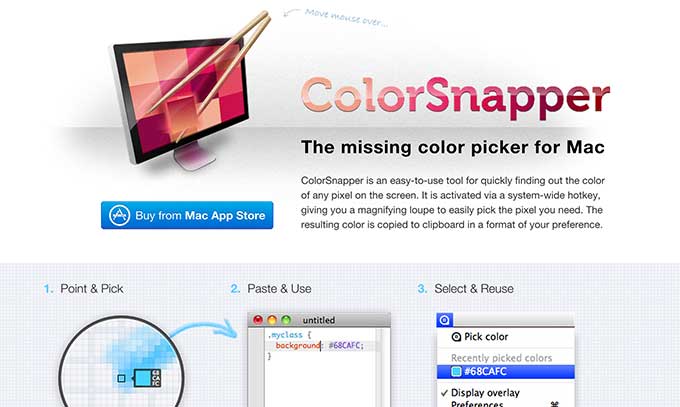
This is a quick and simple little app. But I had to include it because I use it saves me time every day. Have you ever tried to find the color of something online by looking for the HEX value in the code. Or even worse, tried to get it by eye. ColorSnapper is a tool in my top bar that let’s me grab colors quickly. This tool is really simple, but you wouldn’t believe how much time it’s saved me.

6. WunderList

Wunderlist

I’m a huge fan of keeping things simple. Make a piece of software too complicated and I’ll never use it. That’s why I love WunderList. It’s a dead simple to-do list app that makes it easy to add, prioritize and rearrange tasks (it was voted Mac App of the year in 2013). At the beginning of my day I prioritize my tasks by typing them into Wunderlist. Then check them off as I go. I know, this sounds really simple. But trust me, the simplicity of this is extremely freeing! Here’s my favorite way to use Wunderlist:

  1. Make a list for each day of the week.
  2. Add tasks that I want to get done each day.
  3. Arrange by importance.
  4. Move tasks that don’t get completed to new days.

What Apps Do You Use to Save Time?

I’d love to hear from you. What are your favorite apps to save time and get more done? Let me know in the comments below.


Products Seen In This Post:

getpaidtowrite-bannerDustin Lee is the owner of RetroSupply, a Creative Market shop focused on unconventional retro inspired design goods. He also has a newsletter for shop owners you can sign up for here.
Lettering Worksheets
Getting started with hand lettering?
Free lettering worksheets

Download these worksheets and start practicing with simple instructions and tracing exercises.

Download now!
Tags:
About the Author
Author
RetroSupply

RetroSupply makes brushes, textures, fonts, and templates for retro-loving illustrators and designers. Our products are made by a full-time team of creatives for use in Procreate, Photoshop, Illustrator, and Affinity.

View More Posts


Go to My Shop
Related Articles
18 Comments
  • Awesome roundup @Dustin Lee ! I also use Wunderlist and Evernote, as well as Cloud app for quick image sharing. Do you think the premium services are worth it? 12 years ago
  • I use Focus Booster, it makes me save time by helping me to handle time and keep focus 12 years ago
  • DueToday :) It's a TO-DO list that follows the GTD method. 12 years ago
  • Great roundup Dustin! One that I have to recommend (similar to Wunderlist) would be Trello. It is a great way to create lists and boards of tasks to organize your workflow for the day, week, month, and even year. 12 years ago
  • Great article, all very useful. Really like wunderlist. 12 years ago
  • Has anyone here tried ColorSnapper with Yosemite? I work on a mac, and just before upgrading to Yosemite, I bought the ColorSchemer Studio app, which I loved. But with Yosemite, it crashes every time I try to use it - seems to happen to everyone. I've got a hunch that this new app must be an updated version for Yosemite. 12 years ago
  • From this list Evernote and WunderList are my favs! Using it very often. I love the way how Evernote allows you to organize and find all these ideas (txt + img). Beyond the list I use MediaFire, MinBox and Redmine often. An interesting list, Dustin! Thanks! 12 years ago
  • I totally recommend Slicy to create automatics assets files from a PSD, very useful when i design iPhone apps 12 years ago
  • Trello gets my seal of approval. Create task and add checklist, keeps you on track to doing the things you need to do. 11 years ago
  • Slack, Trello and Evernote are my saving graces! 10 years ago
  • I use Evernote for almost everything, right down to quick sketches and mud maps. It's so useful. I also can't live without Dropbox app, I upload all my social media images to a folder in dropbox and can then post directly from the app to social media without needing to save the images to my phone. Saving space, time, hassle etc. Great roundup! 10 years ago
  • @Simon Stratford I started using Trello recently and absolutely love it! I created a Daily board that I use to just get through 5-6 priorities for the day. I've been trying to use it for bigger projects but can't seem to discipline myself! 10 years ago
  • @Beth Rufener - responding pretty late to this but thought I'd respond none the less! CloudApp is 100% worth the premium cost for me. I have granular control over who can download files (and how often). I canceled my Evernote premium subscription. I absolutely love Evernote but the free plan lets you use it on two computers. So I just turn access off and rotate between my iMac, Macbook, and iPad. Here're some of my new favorites: PasteApp (Copy and Paste on steroids - Free Trial): http://pasteapp.me/ SetApp (curated collection of the best apps for productivity- Free Trial): https://setapp.com/ Camtasia (intuitive screen recording and editing - Free Trial): https://www.techsmith.com/camtasia.html Squash (makes your image file size smaller so they load faster - Free Trial): https://www.realmacsoftware.com/squash/ 10 years ago
  • Thanks for the reply @Dustin Lee ! :) Yeah, I canceled Evernote premium as well since the free plan is suitable for me too. Thanks for the list of new faves - can't wait to check them out. 10 years ago
  • Anonymous
    Great apps, I already use some also, the Evernote is very nice. 9 years ago
  • Ooooh! I definitely have to check these out! The only one I already use is Evernote. :) Many thanks! 9 years ago
  • I don't really use apps. I actually hate them, the only one I find useful is Grammarly, which is not on this list. I'm an old-school gal so I prefer online tools that don't bog down my desktop computer I need every amount of processing power, memory, and ram on deck. I use paper to keep my list, I check them off and throw them away when Im done or I open a txt doc. I use Imgur to share image files its free and online. I also use windows snippit its built into windows already. I gather anything I need on Pinterest I pin what I need and bookmark the rest. I like the idea of Evernote but why would I pay for something I can do for free with pinning and booking and I can write notes in word doc and save and them put it on my external hard drive plus I have privacy concerns. For me the less apps the less people in your business and more space to actually store files you need. But photoshop is another story I use apps like crazy. One of my favorites is guide-guide it helps you set up complex grids. I use adobe color themes to create color swatches from images I also use Adobe kuler which is known adobe color cc. I'm surprised no one mentioned adobe spark that is pretty useful. Firebug, art-rage, camstasia, microsoft word and photo scissors are among my favorites also really cool shoebox will let you back all your photos up free. 9 years ago
  • Great selection of apps! They make the work go way easier. Thanks for such a nice blog on it 7 years ago